Showing posts with label science. Show all posts

Tuesday, June 25, 2013

Bill Nye The Science Guy

Speaking of science apps (see previous post), Disney recently released Bill Nye The Science Guy app! Now admittedly, I was in an Asian bubble and didn't grow up watching the show, but I'm sure many of you may have. So how does the app compare to the show? Price: Free with in-app purchases

Device Requirements: Compatible with iPhone 3GS, iPhone 4, iPhone 4S, iPhone 5, iPod touch (3rd generation), iPod touch (4th generation), iPod touch (5th generation) and iPad. Requires iOS 6.0 or later. This app is optimized for iPhone 5.

Developmental Appropriateness: I think what's made Bill Nye THE science guy is how he makes the science relatable and engaging - and it's the same with this app. There are videos (in-app purchases), games, demonstrations, and a book for experiments. Kids are free to explore at their own pace and interests. Rating: 5/5 (aim for around 8 yos, but I think kids younger and older will enjoy).

Balance: This is definitely a polished looking app from Disney. However, I am disappointed by the amount and type of interactivity. The experiments is just a book for you to carry out on your own, the videos are videos, and the games could be better. The games are informative, but the interactive features do not highlight the information - rather, discover things and read about them. I think the newer features of the ipad like the gravity feature could be great for science apps, specifically, but this app does not take advantage of them. Rating: 3/5
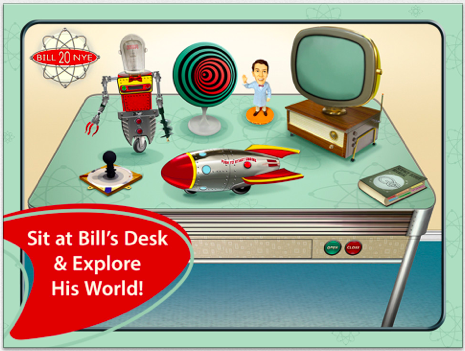

Sustainability: There's a variety of activities and although I wish the experiments books was a little more interactive - for example - encourage kids to go do the experiment and come back to the app to discuss, it at least does extend the life of the information to the real world. And also, more videos are available for purchase. Rating: 4/5

Parental Involvement: There's no explicit role for parents, but I can imagine parents getting into this app too. Also, the experiments are a good way for parents to get involved. Rating: 4/5

Total: 16 out of 20 = 4 stars


Wednesday, June 19, 2013

New report on STEM and digital game learning

Two new reports from SRI was released this past week that was a meta-analyses of all the research that's been published on 1) simulations on STEM learning and 2) digital games. The findings are in general that yes, simulations and games can help to improve learning. Woohoo. Now, before we all run away and start developing STEM apps, here are some of my notes from the reports to keep in mind for app development...

Simulations on STEM learning:
1) Focused on computer-based simulations that were neither simple visualizations nor involved games.
So, not too simple, yet, not too complex.

2) Simulations were developed by researchers.
I'm including this only to say that understanding learning theories is important. It's not just about obtaining good content, but about incorporating that content with other features that enhances learning.

3) Out of the 2,392 initial abstracts, only 40 studies made the cut. 37% were cut because they were not a research-based article.
Again, there's lots of buzz, but not too much evidence.

4) Though no differences were found across age groups, only 4 out of the 40 studies targeted K-5th grades, where as 12 out of 40 targeted 6-8 grades, and over half - 23 out of the 40 studies targeted 9-12 grades
Apps so far skew way younger. Older students may benefit more from technology than younger students.

5) The majority of the studies targeted Science (33 out of 40) as opposed to Math (4) Engineering (2) and Technology (1).
There are many more apps for literacy and math than science.

Here are some of my favorite science apps:
PreK - 5th: Sid's Science Fair, This is My Body, Bobo Explores Light, The Magic School Bus
6th- 8th: Apps by KIDS DISCOVER
9th-12th: Frog Dissection, The Elements, Nova Elements, Simple Physics


Digital Games:
The results for digital games was not as clear. Analyses were based on 77 studies targeting grades spanning PreK-16, averaging around 6-7th grades. Again, most (92%) were computer-based games. Because the studies ranged in the target domain (science, literacy, math, etc.), outcome measures (knowledge, cognitive processes/strategy, general knowledge, etc.) and more, it was hard to draw strong conclusions once whittled down to the sub-categories. The overall point I got though, was that design matters! No real surprises here, but just stresses that it's not just about having good content.

1) For studies that compared the game to other non-game instruction, simple game integration and interactivity may lead to positive outcomes.

2) For studies that compared the game to a control, no intervention group, no positive effect was found. But the researchers note that these games were generally of low production value, among other factors.

3) There was some evidence that games providing scaffolding had positive effects for cognitive/strategy learning.


The Survey Spot
Take this quick survey on parental gating on apps! If you've at all thought about children's privacy and safety while playing apps please take a minute to do the survey. Read the parental gating post for some context.

Click here to take the survey!!
The survey's for parents, teachers, developers, and whoever else. The more responses, the better the results - Help spread the word!

Monday, August 20, 2012

Butterfly HD

A couple months ago, I reviewed Plants HD  by Sprout Labs which aimed to teach kids all about the plant life cycle. While I saw lots of potential, with it, it ended up with 3 stars, with room for improvement. When I notified the developers of the review, they told me they had a new app, Butterfly HD that had already incorporated some of my suggestions. Given the big push to translate textbooks into the digital world, I definitely wanted to see what the improvements meant for the app.  Price: $1.99

Device Requirements: Compatible with iPad.Requires iOS 5.0 or later.

The main improvements that are included in Butterfly HD are:

a. Added videos on each topic to enhance the learning 
b. Added additional large size HD photos to reinforce the text
c. Made all the Questions related to the topic covered in the text


Since the features of both Plant HD and Butterfly HD are pretty similar, I'm going to include my comments from Plant HD and compare the differences. The new comments will be in blue.

Developmental Appropriateness: 

PLANT: Overall, I think Plants HD provides a lot of great information (total flashback to science class for me!). For each stage of the cycle, it provides a lot of text (which can be read aloud), some fun facts, some photos, and a quiz. The "play" part is arranging all the stages in the correct order. Actually, before I move on, here's what the main page looks like: 


My first instinct, and I think any kid's, would be to hit play. But play just means that all the pictures drop down to the bottom and you're to assume that you have to put them back in order. While I think that this is a good activity, it should come after kids have learned all about the stages and should be presented separately, or at least not as the first thing and without any instruction. So points off here for usability.


BUTTERFLY: As you can see, the main page is still the same, so same issue here.

PLANT: So back to the content...

So, yes, lots of info - but I don't think it really capitalizes on what it could offer. You can see that there's a lot of text (it keeps scrolling down too!). It'd be sooo much better if it could show a video or a series of pictures that go with the text. There are a lot of new vocabulary here for them, so that really needs to be highlighted somehow. The photos that are provided are usually just examples of whatever stage generally, and don't go along with the text. Given the amount of text, it's important to have some visual that keeps kids engaged in it. Instead, they could just be flipping through the photos or the fun facts at the bottom and not listen to or read the actual text. Up top, you can choose to take the quiz - but not all the information you need to answer the questions are provided in the text. You earn coins, but no scores are kept, and nothing to review for teachers/parents. Rating: 3/5 (aim for around 8 years)

BUTTERFLY: Butterfly now includes more pictures and also videos. You see in the picture here that you would tap on the icons on top to see the media. More here is nice, but more does not necessarily mean better. I think that my comment that it needs to be related to the text still stands. The pictures and videos seem to be just a collection from youtube or whereever - while related to the topic, it doesn't connect the information from the text to the information from the video and pictures. It's that connection that makes the difference. That being said, the pluses are that the videos do add some engagement factor and also the quiz now relates to the text and gives you a total score at the end. Rating: 4/5 (aim for around 8)
Balance:
PLANT:  As mentioned, I think kids could easily not pay attention to the text. I'm not saying that there's too much going on - I like the photos and I like the fun facts. But maybe something could be done about how they access these other sections and what can be added to keep focus on the text and to reinforce their understanding of it. Rating: 3.5/5

BUTTERFLY: Again - I think this is still true. The text still feels very separate from the pictures and videos. Rating: 3.5/5

Sustainability: 

PLANT: I guess I need to view this a little differently as I can see this being used in the classroom as a supplement to the lesson. Still, I think the addition of videos and making the text more engaging would make this app go from oh, something a teacher is making me look at that is more interesting than a text book to something kids really want to use and even ask for. Rating: 4/5

BUTTERFLY: Yes, there's the addition of videos, so that should add a bit of oomph. But again, I'm sounding like a broken record, that it still feels disconnected, so while kids may want to go to the videos, the text is really where the info is at. Rating: 4.5/5

Parental Involvement: 

PLANT: Again, the quiz feature is nice, but there's no review of it, not even a saved score. And, maybe if there were definitions section or vocal highlighted in the text, teachers could more easily relate it back to their lessons. Basically, although I can see this in the classroom (or at home with parents guiding the way), I don't feel like it was designed with that in mind. Rating: 3/5

BUTTERFLY: And addition I didn't mention is that there's an icon that leads to a breakdown of how the app content relates to curriculum standards. This is nice, but a bit hard to read for someone not used to looking at standards. A more friendly version - especially aimed at parents rather than educators would be nice. Rating: 3.5/5

Total: 15.5 out of 20 - 3 stars. The improvements bumped it up from an ok 3 stars to a high 3 stars.

Tuesday, July 17, 2012

Ansel and Clair: Cretaceous Dinosaurs

Ansel and Clair: Cretaceous Dinosaurs was created by Cognitive Kid, Inc., the same creators as for Ansel and Clair Adventures in Africa has won numerous "best of" and educational app awards. I have not checked out Adventures in Africa, but was definitely interested in seeing what all the hype was about. Does it live up? Price: $1.99


Device Requirements: Compatible with iPad.Requires iOS 4.2 or later.


Developmental Appropriateness: I totally see what everyone was talking about. This is a great app for learning. Basically, Ansel and Clair go on a journey to learn all about dinosaurs, visiting a paleontologist at his dig site for fossils and then time traveling back to the Cretaceous period to see and learn about the different dinosaurs. It's jammed pack full of information, but with the learning design, it's conveyed in an informal, fun way. There's a plot to carry out the story, time to reflect on the information as you take pictures, time to review through the pictures/travel log, and ways to share the experience through the travel log. It takes important learning tenets and masks it with a fun feature. The information is written in a very kid-friendly way, which is very important given the amount of big words. My only warning would be that if your kid doesn't like dinosaurs, this may be boring as it ALL about learning about dinosaurs and it can also be a bit slow-paced at times. Rating: 5/5 (aim for around 7 years).


Balance: Overall, the interactive features are "functional" in that they either mimic what you are suppose to be doing in that action and or are relevant to the plot. There were a few times when some of the features took multiple and more aggressive tapping to get to work. And I did find some of the pacing to be on the slow side. Rating: 4.5/5


Sustainability: There's load of info that I'm sure kids will pick up something new each time. But again, if dinosaurs aren't your thing, this won't last long. Rating: 4.5/5


Parental Involvement: There's no explicit role for parents, but the travel log can act as a great review or a way for kids to share what they've done. I bet most adults don't know a lot this content either, so adults won't be bored playing along. This would also be great for teachers to use in the classroom. Rating: 4/5


Total 18 out of 20 - 5 stars


Disclosure: I received this app for free for review purposes.

Thursday, June 21, 2012

Plants HD

Plants HD was created by Sprout Labs and aims to teach kids all about the plant life cycle. I definitely think we need more apps that tackle this kind of subject area. Multimedia can definitely make learning this material easier and of course, more fun than say a typical text book. The question is, does Plants HD hit the mark? Price: $1.99

Device Requirements: Compatible with iPad.Requires iOS 4.3 or later.


Developmental Appropriateness: Overall, I think Plants HD provides a lot of great information (total flashback to science class for me!). For each stage of the cycle, it provides a lot of text (which can be read aloud), some fun facts, some photos, and a quiz. The "play" part is arranging all the stages in the correct order. Actually, before I move on, here's what the main page looks like: 


My first instinct, and I think any kid's, would be to hit play. But play just means that all the pictures drop down to the bottom and you're to assume that you have to put them back in order. While I think that this is a good activity, it should come after kids have learned all about the stages and should be presented separately, or at least not as the first thing and without any instruction. So points off here for usability.


So back to the content...
So, yes, lots of info - but I don't think it really capitalizes on what it could offer. You can see that there's a lot of text (it keeps scrolling down too!). It'd be sooo much better if it could show a video or a series of pictures that go with the text. There are a lot of new vocabulary here for them, so that really needs to be highlighted somehow. The photos that are provided are usually just examples of whatever stage generally, and don't go along with the text. Given the amount of text, it's important to have some visual that keeps kids engaged in it. Instead, they could just be flipping through the photos or the fun facts at the bottom and not listen to or read the actual text. Up top, you can choose to take the quiz - but not all the information you need to answer the questions are provided in the text. You earn coins, but no scores are kept, and nothing to review for teachers/parents. Rating: 3/5 (aim for around 8 years)


Balance: As mentioned, I think kids could easily not pay attention to the text. I'm not saying that there's too much going on - I like the photos and I like the fun facts. But maybe something could be done about how they access these other sections and what can be added to keep focus on the text and to reinforce their understanding of it. Rating: 3.5/5


Sustainability: I guess I need to view this a little differently as I can see this being used in the classroom as a supplement to the lesson. Still, I think the addition of videos and making the text more engaging would make this app go from oh, something a teacher is making me look at that is more interesting than a text book to something kids really want to use and even ask for. Rating: 4/5


Parental Involvement: Again, the quiz feature is nice, but there's no review of it, not even a saved score. And, maybe if there were definitions section or vocal highlighted in the text, teachers could more easily relate it back to their lessons. Basically, although I can see this in the classroom (or at home with parents guiding the way), I don't feel like it was designed with that in mind. Rating: 3/5


Total: 13.5 out of 20 - 3 stars


Disclosure: I received this app for free for review purposes.

Friday, March 30, 2012

Barefoot World Atlas

Barefoot World Atlas was created by Touch Press and is an interactive 3D globe. This app boasts narration by geographer and BBC TV presenter, Nick Crane and illustrations by artist David Dean and it packs a lot of info in. I'm telling you all this to soften the blow of the price tag - it might be worth it... Price: $7.99


Device Requirements: Compatible with iPad.Requires iOS 5.0 or later.


Developmental Appropriateness: This app is a pretty cool and offers up tons of information about the world. Kids will love the interactive nature of it as it makes it way more interesting than if they were handed an atlas book or books about countries. There's really a "discovery" aspect to this app. I also like that all the text can be read aloud to you so that a beginning reader can also learn some new facts. There are some words that are linked to definitions, which is helpful to learn some new vocabulary. It would be even better if it highlighted the key words that could be repeated to help keep the focus and even reinforce pronunciation (e.g. country names or animal names)  - there's a lot of text, which can be overwhelming for younger kids. The illustrations are kid friendly and the app also includes many photographs as well. As a reference tool, the information here is appropriate for young elementary aged kids and this app is a great way to engage them in a topic they might otherwise find boring. Rating: 4.5/5 (aim for around 8 years)


Balance: There is sooooo much information here. Kids can get lost in it and lose focus or they just might lose interest because they don't really have a purpose and thus don't know what they should be looking at. The app is pretty easy to use and it contains a couple of overall menu's - you can choose what region, country, or feature. It might be more helpful to break it down even further - menus for animals, food, etc., so that kids can focus in on a topic too.  As is, I view this app more as a reference tool, but to take it to that next step of being more of a teaching tool, any features that could help focus or in a way, limit the information they access at a given moment, would help. Rating: 4/5


Sustainability: Again, there is so much information here that kids can keep coming back and discover something new. What I find lacking is a goal or purpose. It'd be great if there were some prompts or activities that could help guide the kids to specific information. Things like, "Where would you like to go on vacation?" Or "Discover five new animals" - just very general prompts for searching. I really think this would help enrich their experience. Rating: 4/5


Parental Involvement: This is an app where I think parents might be more likely to assume that if their child is using it, they must be learning. There is no doubt that this app contains great educational information. But I really caution parents - because there is so much information, so much to click through and see - kids may not actually absorb the information as much as they could be. This is definitely an app where I would encourage parents to take an active part - they might actually learn something too. Rating: 3/5


Total: 15.5 out of 20 = 4 stars


Disclosure - I received this app for free for review purposes.

Friday, March 16, 2012

Montessori Revolution

Montessori Revolution was created by MEDL MOBILE and is based off of the Montessori method of teaching. One of the main tenets of Montessori schools is a hands-on approach, that movement is important for learning and cognition. So on one hand, I can see how the interactivity of an iPad may go well with this tenet, but on the other hand, moving things around on a 2d screen is not the same as real world movement. Does Montessori activities really translate to apps? Price: $0.99 (for the initial drawing activity plus one of your choice - the rest are in-app purchases).

Device Requirements: Compatible with iPad.Requires iOS 4.0 or later.


Developmental Appropriateness: There are currently six available activities. With the initial purchase, I received The Canvas (freeform drawing), and The Moveable Alphabet. I then purchased The Short Bead Stairs (math) and The Pouring Exercise. Note - I originally wanted to purchase The Pink Tower as I know that as a staple Montessori activity, but received an error message instead. Anyway, back to my question of whether these activities translate well.... I think some better than others. The drawing activity is like other drawing apps - kids who like drawing will like this app. The alphabet activity functions fairly well where you would drag the letter to it's place, as you would a letter block or magnet. It also provides a clear breaking down of the letter-sounds for each word, and letter-sounds for each letter option. These activity seems to be more traditional, and thus the easiest of the Montessori activities to translate to an app. The other two activities work less well. The pouring activity, is exactly that - you pour objects from one beaker into another. While the innovation of translating this into an iPad activity is kinda cool, the movement of pouring using the iPad is not really the same movement of real life pouring. You do not feel the weight lessen as you pour nor does the overall motion seem natural. And further, it seems like there should be more of a goal to this activity, or at least more examples of pouring from different containers or different amount of objects. I was most disappointed with the Short Bead Stairs. This is also a pretty staple Montessori material. There are different colored connected beads to represent each number. The activity here asks for a number, say 3, so you would move the strand of 3 white beads over. First, the number they ask for is the same color as the beads of the right length. So you can just match color rather than number. But where this really falls short is that I think these beads could be used for so much more, but this app does not take you there. Often, these beads can be used to help solve basic math problems, like 2+3. So you could take the 2 red bead rod and the 3 blue bead rod (or whatever colors they are) and line them up with the 5 bead rod to see that they are the same amount. The beads also help in that you can count the individual beads, which you cannot do in this app. So in sum, I like the ideas of this app, but some of these activities do not maximize on the original intent. Rating: 3/5 (aim for around 4 years)


Balance: Overall, the app is presented in a clean, organized manner, similar to a Montessori school. This is down to the "shelves of activities". Where I do think it could use some improvement is on the instructions. You are presented with a pretty busy instruction screen (see pic). I think that some of these instructions could also be embedded in the activities as prompts. For example, in the alphabet activity, if there is no response for awhile, the app could prompt the child to tap on the picture to hear the word. Or if an incorrect response is given, then a prompt could be given to tap on the letters first to hear the sounds. It's great that this type of support is there, it just may be overwhelming to be presented it all at once and only on a help screen. Rating: 4/5


Sustainability: Some apps are more engaging than others. The pouring one is least (at least of the ones I tried, but I'm hoping the two that I didn't are better!). Once the child has figured out how to pour, then what? I know that another tenet of Montessori is no extrinsic rewards. While that's fine, the activities do need to have some sort of goal, don't you think? At least the alphabet has 3 levels that kids can work on and master. Rating: 3.5/5


Parental Involvement: This app provides a reporting feature where parents and or teachers can see what the child has done and how much time was spent doing it. It's item-level information, which is great for those who have time to look everything over, but I think it needs to also include some more general information. Rating: 3.5/5


Total: 14 out of 20 - 3 stars


Disclosure - I received this app for free for review purposes.

Friday, January 20, 2012

i Learn with Poko: Seasons and Weather!


i Learn with Poko: Seasons and Weather is a science game created by Tribal Nova for preschool and kindergarten. In general, I think we focus a lot on reading and math, so it's nice to see something for some basic science knowledge. Price: $1.99 for iPhone, $2.99 for iPad
Device Requirements: iPhone, iPod touch, and iPad; Requires iOS 4.2 or later


Developmental Appropriateness: Seasons and weather are very popular themes in preschool and kindergarten curricula. So that is one major check. There are 3 levels or games - which I think are pretty clever ways of teaching this material. 


In the first game, kids are given clues (i.e. find the two pictures where it is snowing) and they need to pick out the pictures that fit, eventually narrowing it down to one target picture. This game is definitely better on the iPad with the bigger screen then the iPhone to see all the details in the pictures. A few things I noticed that can be improved: 1) You can start tapping on the pictures before the clue is given, which then stops the clue from being heard. 2) On the same note, it would be helpful to have written clues instead of just oral clues. This can help kids start to learn and recognize key words such as snow and winter. 3) Although it registers the picture selections quite fast, I thought the pacing of this particular game was slow. 


In the second game, you are shown pictures and need to find the items that don't fit (i.e. wearing mittens in a summer scene). I like this game - I'm a total sucker for picture games. However, some of the items here are really subtle and hard to find! The snow boots are not that different from the rain boots or regular shoes, or not everyone likes to wear flip flops in the summer - it's ok to wear regular shoes. And who really wears matching jackets and snow pants in the winter (maybe if you're skiing)? 


For the third game, you have to match pictures of activities to the day of the week by weather. So if it tells you it's raining on Tuesday, you would find the indoor activity. This is a good way to get kids thinking about the weather and what's appropriate. I like that if you tap on the activity, it tells you what is happening, but I think there needs to be a better way to distinguish wanting it labelled and actually choosing it as your answer. (You can tap on all the pictures and the correct one will just fly into the target spot because you tapped on it.)


For all three games, there is a monkey character that is suppose to provide support. Honestly, the monkey is kinda useless. He just repeats the items, and does not really provide any new information. Finally, the games are suppose to be adaptive - adjusting the level according to when you get right and wrong answers. I'd like to see more about how it adjusts. Rating: 4/5 (aim for around 4 years of age)


Balance: There isn't really much outside of what I've described for the games, so I think kids will stay on task. As I already mentioned, it could use a few tweaks with some of the features (being able to interrupt the directions; making the monkey more useful). The pictures are pretty colorful and cute, but I think they could benefit from some animation. These are scenes - they are suppose to be active. So if you're flying a kite to show that it's a windy day, let's see it (honestly, some of the sunny scenes are pretty similar to the windy scenes minus a kite). Rating: 4/5

Sustainability: The adaptive nature of the game seems like a good feature, as it will move a child along when he/she has mastered a task - look like there may be three stages to each task (again, I'd like to see more information on how it is adaptive and what is needed with each stage). I was surprised not to find some sort of album feature where you can see all the pictures you've successfully completed or chosen.  These seem like games that could easily have a plot line or goals to achieve to keep kids coming back. Rating: 3.5/5

Parental Involvement: I think this app has much potential for parental involvement. Weather is such a common topic. It would be easy for parents to talk about activities they've done during various weather and seasons. Perhaps one way to make the monkey more useful to for it to ask questions like, "What do you like to do when it's raining?" and act as a prompt to both child and parent. As is though, there's no evident role for the parent. Rating 3.5/5


Total: 15 out of 20 = 4 stars


Disclosure: I received this app for review for free from the developers.