Showing posts with label geography. Show all posts

Friday, March 30, 2012

Barefoot World Atlas

Barefoot World Atlas was created by Touch Press and is an interactive 3D globe. This app boasts narration by geographer and BBC TV presenter, Nick Crane and illustrations by artist David Dean and it packs a lot of info in. I'm telling you all this to soften the blow of the price tag - it might be worth it... Price: $7.99


Device Requirements: Compatible with iPad.Requires iOS 5.0 or later.


Developmental Appropriateness: This app is a pretty cool and offers up tons of information about the world. Kids will love the interactive nature of it as it makes it way more interesting than if they were handed an atlas book or books about countries. There's really a "discovery" aspect to this app. I also like that all the text can be read aloud to you so that a beginning reader can also learn some new facts. There are some words that are linked to definitions, which is helpful to learn some new vocabulary. It would be even better if it highlighted the key words that could be repeated to help keep the focus and even reinforce pronunciation (e.g. country names or animal names)  - there's a lot of text, which can be overwhelming for younger kids. The illustrations are kid friendly and the app also includes many photographs as well. As a reference tool, the information here is appropriate for young elementary aged kids and this app is a great way to engage them in a topic they might otherwise find boring. Rating: 4.5/5 (aim for around 8 years)


Balance: There is sooooo much information here. Kids can get lost in it and lose focus or they just might lose interest because they don't really have a purpose and thus don't know what they should be looking at. The app is pretty easy to use and it contains a couple of overall menu's - you can choose what region, country, or feature. It might be more helpful to break it down even further - menus for animals, food, etc., so that kids can focus in on a topic too.  As is, I view this app more as a reference tool, but to take it to that next step of being more of a teaching tool, any features that could help focus or in a way, limit the information they access at a given moment, would help. Rating: 4/5


Sustainability: Again, there is so much information here that kids can keep coming back and discover something new. What I find lacking is a goal or purpose. It'd be great if there were some prompts or activities that could help guide the kids to specific information. Things like, "Where would you like to go on vacation?" Or "Discover five new animals" - just very general prompts for searching. I really think this would help enrich their experience. Rating: 4/5


Parental Involvement: This is an app where I think parents might be more likely to assume that if their child is using it, they must be learning. There is no doubt that this app contains great educational information. But I really caution parents - because there is so much information, so much to click through and see - kids may not actually absorb the information as much as they could be. This is definitely an app where I would encourage parents to take an active part - they might actually learn something too. Rating: 3/5


Total: 15.5 out of 20 = 4 stars


Disclosure - I received this app for free for review purposes.

Friday, March 16, 2012

Montessori Revolution

Montessori Revolution was created by MEDL MOBILE and is based off of the Montessori method of teaching. One of the main tenets of Montessori schools is a hands-on approach, that movement is important for learning and cognition. So on one hand, I can see how the interactivity of an iPad may go well with this tenet, but on the other hand, moving things around on a 2d screen is not the same as real world movement. Does Montessori activities really translate to apps? Price: $0.99 (for the initial drawing activity plus one of your choice - the rest are in-app purchases).

Device Requirements: Compatible with iPad.Requires iOS 4.0 or later.


Developmental Appropriateness: There are currently six available activities. With the initial purchase, I received The Canvas (freeform drawing), and The Moveable Alphabet. I then purchased The Short Bead Stairs (math) and The Pouring Exercise. Note - I originally wanted to purchase The Pink Tower as I know that as a staple Montessori activity, but received an error message instead. Anyway, back to my question of whether these activities translate well.... I think some better than others. The drawing activity is like other drawing apps - kids who like drawing will like this app. The alphabet activity functions fairly well where you would drag the letter to it's place, as you would a letter block or magnet. It also provides a clear breaking down of the letter-sounds for each word, and letter-sounds for each letter option. These activity seems to be more traditional, and thus the easiest of the Montessori activities to translate to an app. The other two activities work less well. The pouring activity, is exactly that - you pour objects from one beaker into another. While the innovation of translating this into an iPad activity is kinda cool, the movement of pouring using the iPad is not really the same movement of real life pouring. You do not feel the weight lessen as you pour nor does the overall motion seem natural. And further, it seems like there should be more of a goal to this activity, or at least more examples of pouring from different containers or different amount of objects. I was most disappointed with the Short Bead Stairs. This is also a pretty staple Montessori material. There are different colored connected beads to represent each number. The activity here asks for a number, say 3, so you would move the strand of 3 white beads over. First, the number they ask for is the same color as the beads of the right length. So you can just match color rather than number. But where this really falls short is that I think these beads could be used for so much more, but this app does not take you there. Often, these beads can be used to help solve basic math problems, like 2+3. So you could take the 2 red bead rod and the 3 blue bead rod (or whatever colors they are) and line them up with the 5 bead rod to see that they are the same amount. The beads also help in that you can count the individual beads, which you cannot do in this app. So in sum, I like the ideas of this app, but some of these activities do not maximize on the original intent. Rating: 3/5 (aim for around 4 years)


Balance: Overall, the app is presented in a clean, organized manner, similar to a Montessori school. This is down to the "shelves of activities". Where I do think it could use some improvement is on the instructions. You are presented with a pretty busy instruction screen (see pic). I think that some of these instructions could also be embedded in the activities as prompts. For example, in the alphabet activity, if there is no response for awhile, the app could prompt the child to tap on the picture to hear the word. Or if an incorrect response is given, then a prompt could be given to tap on the letters first to hear the sounds. It's great that this type of support is there, it just may be overwhelming to be presented it all at once and only on a help screen. Rating: 4/5


Sustainability: Some apps are more engaging than others. The pouring one is least (at least of the ones I tried, but I'm hoping the two that I didn't are better!). Once the child has figured out how to pour, then what? I know that another tenet of Montessori is no extrinsic rewards. While that's fine, the activities do need to have some sort of goal, don't you think? At least the alphabet has 3 levels that kids can work on and master. Rating: 3.5/5


Parental Involvement: This app provides a reporting feature where parents and or teachers can see what the child has done and how much time was spent doing it. It's item-level information, which is great for those who have time to look everything over, but I think it needs to also include some more general information. Rating: 3.5/5


Total: 14 out of 20 - 3 stars


Disclosure - I received this app for free for review purposes.

Thursday, January 26, 2012

Stack the States

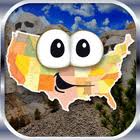
Stack the States was created by Dan Russell-Pinson. It's a game that tries to teach the state capitals, shapes, locations, abbreviations, and "fun facts". I personally have pretty poor geographical knowledge as I transferred grade schools and somehow missed when they taught geography at both schools (which says something about our geography standards/curriculum). Let's see how I did... Price: $0.99, Lite version: Free

Device requirements: iPhone, iPad; Requires iOS 3.0 or later


Developmental Appropriateness: I did better than I thought I would! So I think this would be fun for a 2nd or 3rd grader who is already starting to learn some of these facts at school or at home. The game is kinda like a trivia game - for every question you get right, you get a state to stack. The goal it to stack the states past the goal line. If you get it wrong, the correct state will identity itself (i.e. "I am Alaska, my abbreviation is AK." At the end of each round, it tells you your percent/total correct. It would be useful to present more of a review so that kids and parents can go over and remember the ones they got wrong (or right too) - just for more reinforcement.

Overall though, this game does a good job of reinforcing the facts. First, the stacking itself actually requires some skill, as it really does take into account the size and shape of the states to determine if the states will balance on top of each other. So you're really hoping for large states like Alaska or those nice rectangular ones in the midwest. Getting questions right about those tiny states like Rhode Island gets you nowhere. So even when just stacking the states, it's making you notice the shape. When you reach the goal line, you're awarded a state and the goal of course is to collect all of them. As you collect them, you also unlock a total of three games. These games assess the fluency of your knowledge, reinforcing the facts in a different way. They are timed games that require you to recognize the state, it's location, or know the capitals. These are nice "rewards" as they are both fun and still highly relevant to geography. The latter two games can get a bit difficult - it would be nice to see some prompting or hints - I ended up just guessing or trial and error sometimes, which is not what you want kids to be doing if they are to learn these facts. The combination of the main game with the little rewards games is a good way to get kids to really learn these facts. The main game is teaching them the facts and the little games are getting the facts to stick.

For kids who have not really started learning any of these facts, this game may not be for them or may take awhile for them to warm up to it. There is a mode where you can go through little fact cards about each state. I guess the idea is to "study" them so that you can play the game. This really does seem like homework, and not like a game. And at least on my iPhone, the font of these little fact cards (and also a bit throughout the game) can be small.

Also, the controls for stacking the states may be a little tricky at first as you can rotate and move each state.

Rating: 4/5 (aim for around 7 or 8 years of age).


Balance: There are a few nice "extra" features that don't seem to be distracting. First, there's a changing background picture of a real landmark. It would be nice if they labeled what the landmark was. For younger kids, the pictures may distract a tiny bit or maybe make it harder to read the questions, but since this is aimed for slightly older kids, it shouldn't really be a problem. Then the states have faces with moving eyes and they show basic emotion for when they are falling over or successfully being stacked. A nice touch of humor and kids tend to like faces. I was even entertained by the sound effects. Rating: 4.5/5


Sustainability: I spent a looooong time playing this in order to unlock all the games. But perhaps that was due to my poor geography and stacking skills. Nonetheless, based on how much time I spent on this, I'd say that yes, this is an app that could lead to many sessions of play. There are a few incentives - the collecting of states, unlocking the little games, and the little games keep track of your best time. I'd also like to see it keep track of the progress on the main game, to see if there's improvement or what's the highest stack. A minor point is that I did get frustrated when I got the answer right, but my adding the state made my stack fall over and I had to start building all over again. It made me want to stop playing, but that's kinda part of the game, I guess - maybe you or your child is more patient than I am. Rating: 4.5/5


Parental Involvement: I can picture a family traveling in a car, especially on a road trip, and playing this together. The questions can be read aloud for all to play. And it would be neat when questions came up about the states they were driving through. Although this particular scenario may not happen all the time, "traveling" and "in a car" are top reasons/places for when parents say that their kids play with apps. The little games are probably just one-player type games. Rating 4/5


Total: 17 out of 20 = 4 stars